
Agentic Experiments and Agentic Notebooks
This section describes how to use Agentic Experiments and Agentic Notebooks in Arthur GenAI Engine.
Overview
Arthur agentic experiments enable testing and evaluating the performance of your agentic models in production. Using Arthur datasets and evals, you can execute known queries against your agent and evaluate the agent’s response against your ideal response.
💡 This guide assumes you’ve already created evals, transforms, and datasets for your experiment. If you haven’t done that yet, please refer to the guides for working with datasets, transforms and evals.
Agentic notebooks are ways to store the state of a agentic experiment for re-runs. You can create an agentic notebook with the configuration you would use to run an experiment, so that you can come back to the same experiment state and re-run it as needed.
FAQ: What Happens when I run an Agentic experiment?
Agentic experiments run over Arthur datasets and use Arthur evals to evaluate the agent performance. For each row in your configured dataset, Arthur will make a request to the agent you configure. Your agent, which will be instrumented to send traces to Arthur, will send the trace generated by this request and the agent’s response to the Arthur engine. When Arthur receives this trace, it will pass the response from your agent, via some mapping you’ll have already set up, to the evals you’ve configured for the experiment.
At this point, you will be able to see the results of the evals for each row in the dataset (one row = one “Arthur test case”) and validate the performance of your agent!
Setting Up an Agentic Experiment
Step 1: Instrument Your Agent
The first step to running agentic experiments with Arthur is to make sure your agent is instrumented to send traces to Arthur. Please see the guide for Getting Started with Tracing for more information on how to do that.
There’s a small, additional step to instrumenting your agent to work with Arthur experiments. In order for Arthur to be able to identify which traces correspond to the requests made during an agentic experiment, we include a session ID in a X-Session-Id header in the request to your agent. Your agent will need to parse this header and set this session ID on the root span in your instrumentation so that the trace can be correlated with the agentic experiment. This is a required step for agentic experiments to work as expected.
💡 This correlation also ensures any traces with the session IDs indicating they originated from Arthur agentic experiments will be excluded from continuous evals. This way, your prod agent requests and responses can be differentiated from Arthur experiment test requests and responses.
Step 2: Create a New Agent Experiment - Endpoint Setup
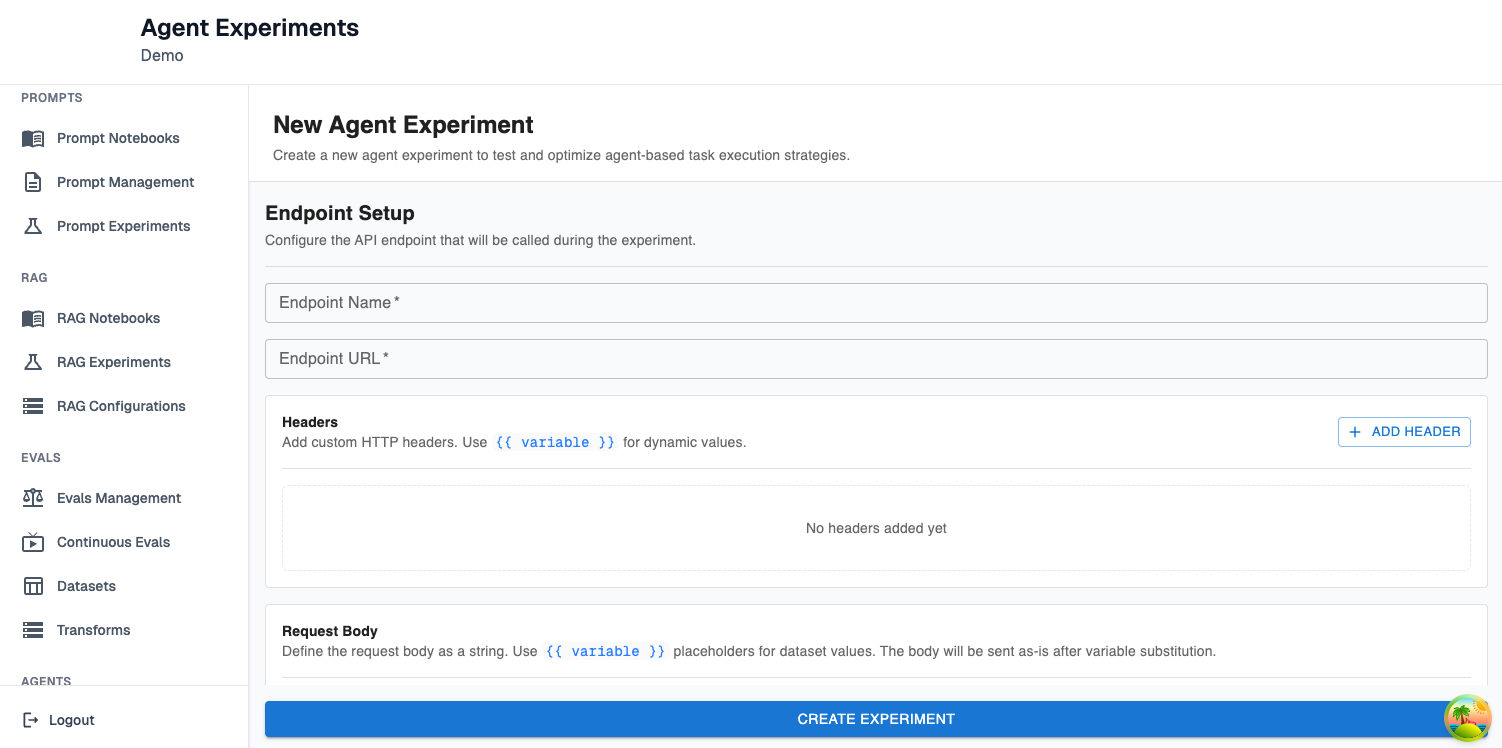
Next, you’ll need to set up the endpoint configuration for your experiment:
Endpoint Name: This is a name for the endpoint on your agent that accepts requests. It’s metadata useful for remembering what agent an experiment was run against.
Endpoint URL: This is the URL of the endpoint on your agent that accepts requests (eg. http://host.docker.internal:3000/api/chat for a locally running chat agent)
Headers: These are custom HTTP headers that should be included in the request made to your agent. Any values that are dynamic (ie. correspond to rows in your dataset) or sensitive (eg. API keys) should be templated here with {{}} instead of specified directly.
Request Body: This is the body of the request that should be made to the agent. It should be formatted according to how your agent accepts prompts. Again, any dynamic or sensitive values should be templated with {{}} . You will have an opportunity to configure those variables as you continue configuring your experiment.
Step 2: Create a New Agent Experiment - Experiment Setup
Now that you’ve configured how to reach out to your agent, you need to configure the experiment:
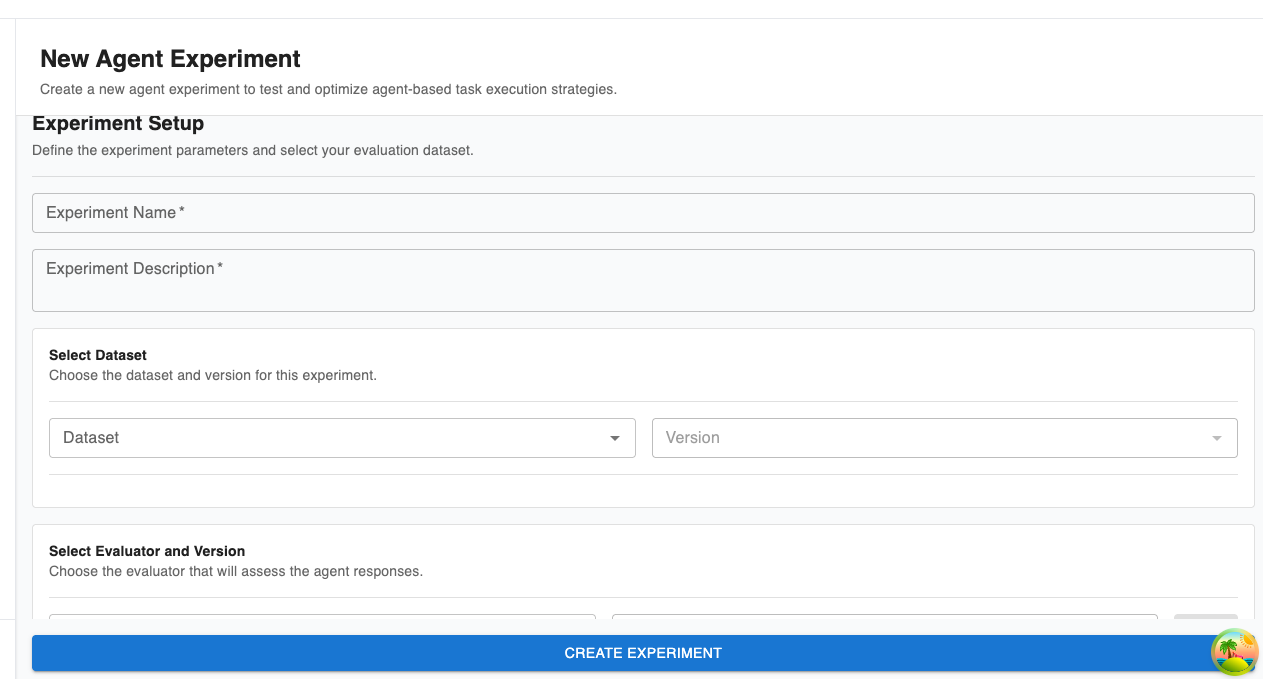
As part of this, you will need to configure the following fields:
Experiment Name and Description: Metadata to make it easier to remember what you were validating in this experiment.
Dataset: The dataset the experiment will execute over. Arthur will make a request to your agent for each row in the chosen dataset.
Evaluator and Version: The evals Arthur will use to evaluate the performance of your agent.
Endpoint Template Variables Mapper: This is where you configure any variables you set up with {{}} templating. You have a few options for how to map the variables to fill in in the agentic requests:
- Dataset Column: For each request to the agent, we’ll fill in the variable with the value of that column in the row of the dataset corresponding to the current test case.
- Generated Variable, UUID: For each request to the agent, we’ll fill in the variable with a generated UUID.
- Request-time parameter: Use these for sensitive values, like API keys needed to authenticate with the agent. These values will never be stored in the Arthur database. They will be sanitized from the agent request in the Arthur database, but still sent to your agent as-is.
Map Evaluation Variables: This is where you map the templated variables for your configured evals. As part of this you will have to include:
- Transform: this is the transform that extracts the information relevant to the eval from the trace generated by your agent.
- For each variable, you’ll configure the value of the variable. You can either:
- Configure a dataset column. In this case, the variable will be populated with the column’s value for the row corresponding to the current test case.
- Configure a transform variable. A transform variable represents the information a transform extracts from an agentic trace. In this case, the eval variable will be populated with the information extracted from the trace, based on the configuration of the chosen transform.
💡 At this point, you’ve successfully created your first agentic experiment! You can look at the overall performance of your agent, or click into each test case to see the details of exactly what request was made to the agent, what response and trace were received, and the outcome of the evals for that test case.
Setting up an Agentic Notebook
💡 This section assumes you read the guide to setting up an agentic experiment and already have a high-level understanding of how agentic experiments work.
Agentic notebooks offer a way for you to configure experiments and store them for re-use.
Step 1: Create Agentic Notebook
In this step, you’ll configure the metadata (name and description) that will help you differentiate between your created notebooks.
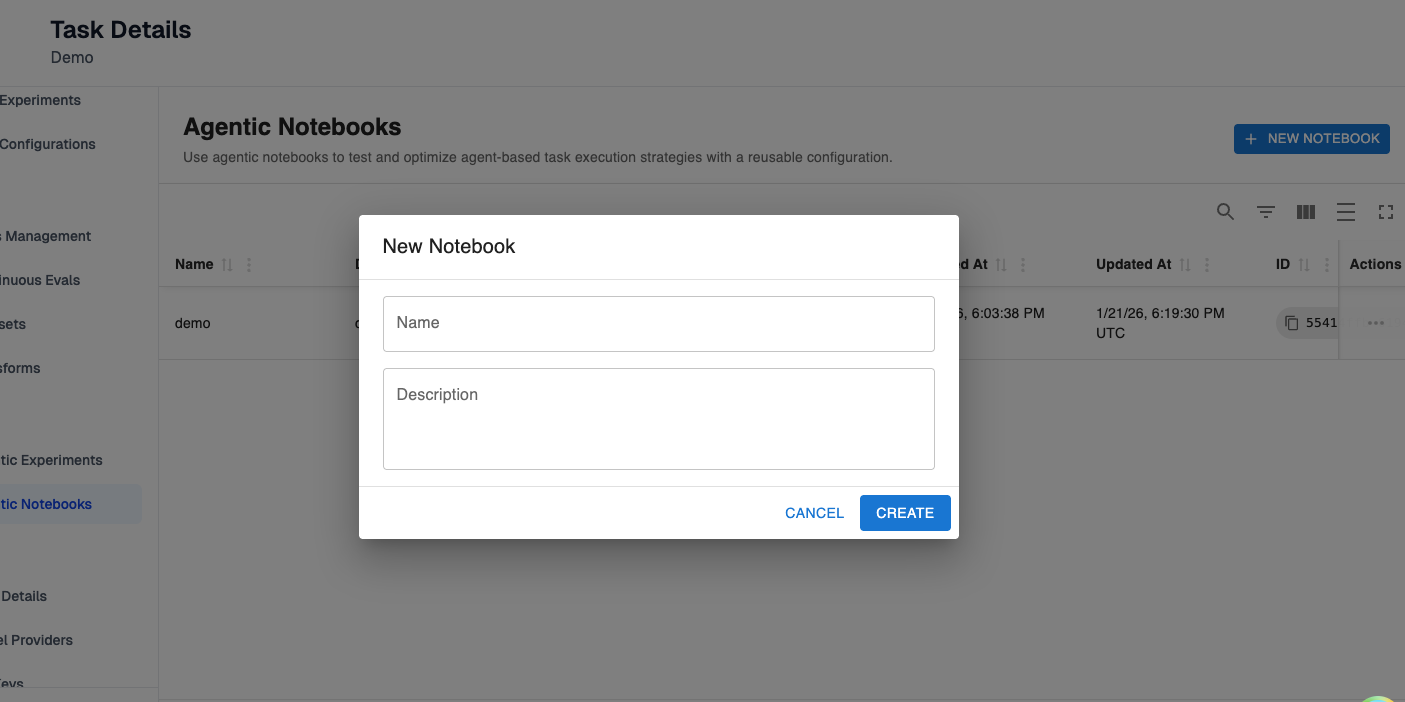
Step 2: Set up the configuration for your notebook
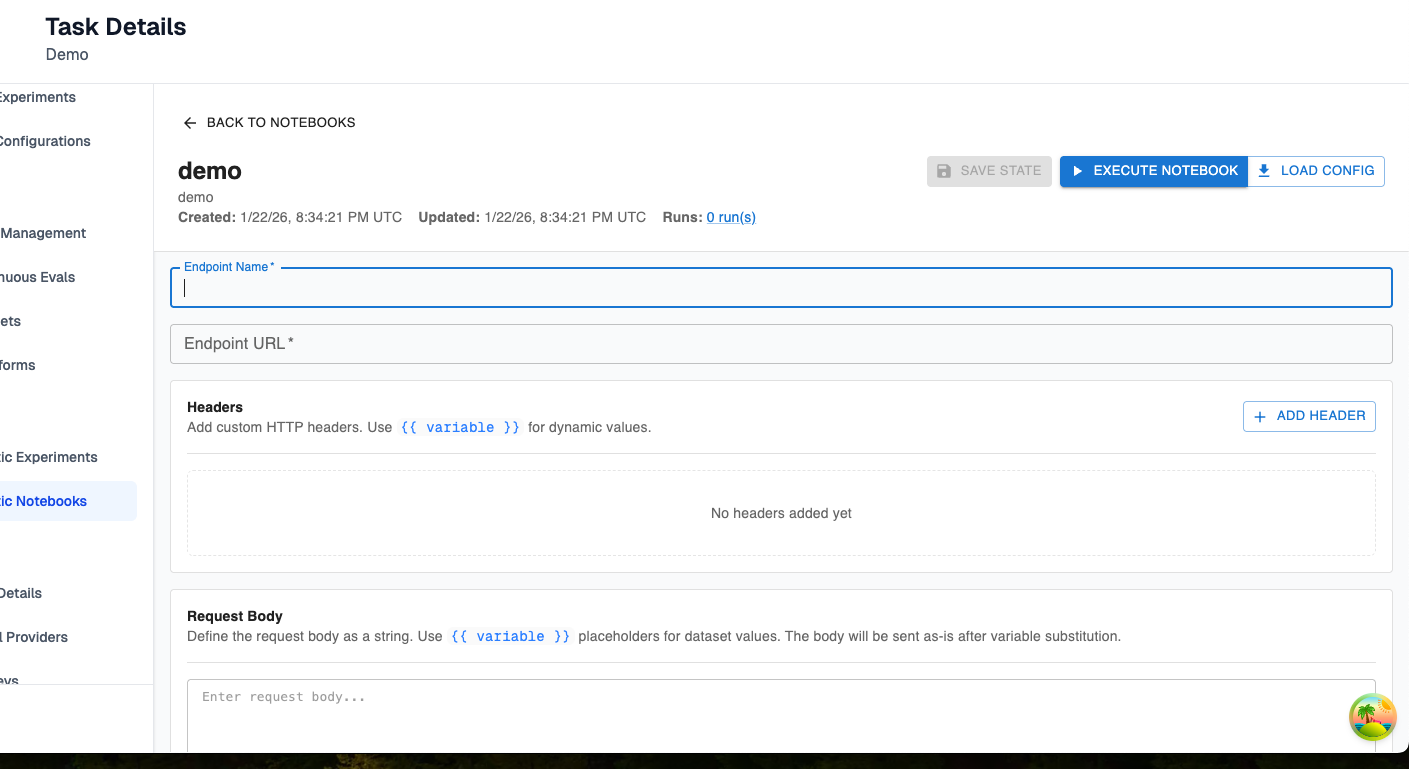
You have two options here:
- Create an entirely new configuration. This will look exactly like agentic experiments configuration, but you will be storing the configuration instead of running the experiment directly. The only difference is you won’t store request-time parameters in agentic notebooks—since we consider those parameters sensitive, they will only be provided to Arthur at experiment creation time.
- Load an existing configuration. Choose the load config option in the top right to load the configuration for a past experiment into the notebook. This provides an easy workflow for populating a notebook from a past experiment.
Step 3: Run an experiment from a notebook
Once your notebook is configured as needed, press the “Execute Notebook” button in the top right to run an experiment with the configuration in your notebook. Here, you’ll need to set up any request-time parameters as in the view to creating an entirely new experiment. Refer to that guide if you need more information about this step.
Step 4: View Previously Run Experiments
If you run an experiment from a notebook, that experiment will be attached to the notebook history. If you click on the three dots to the far right of a notebook, you can view the latest run for a notebook.
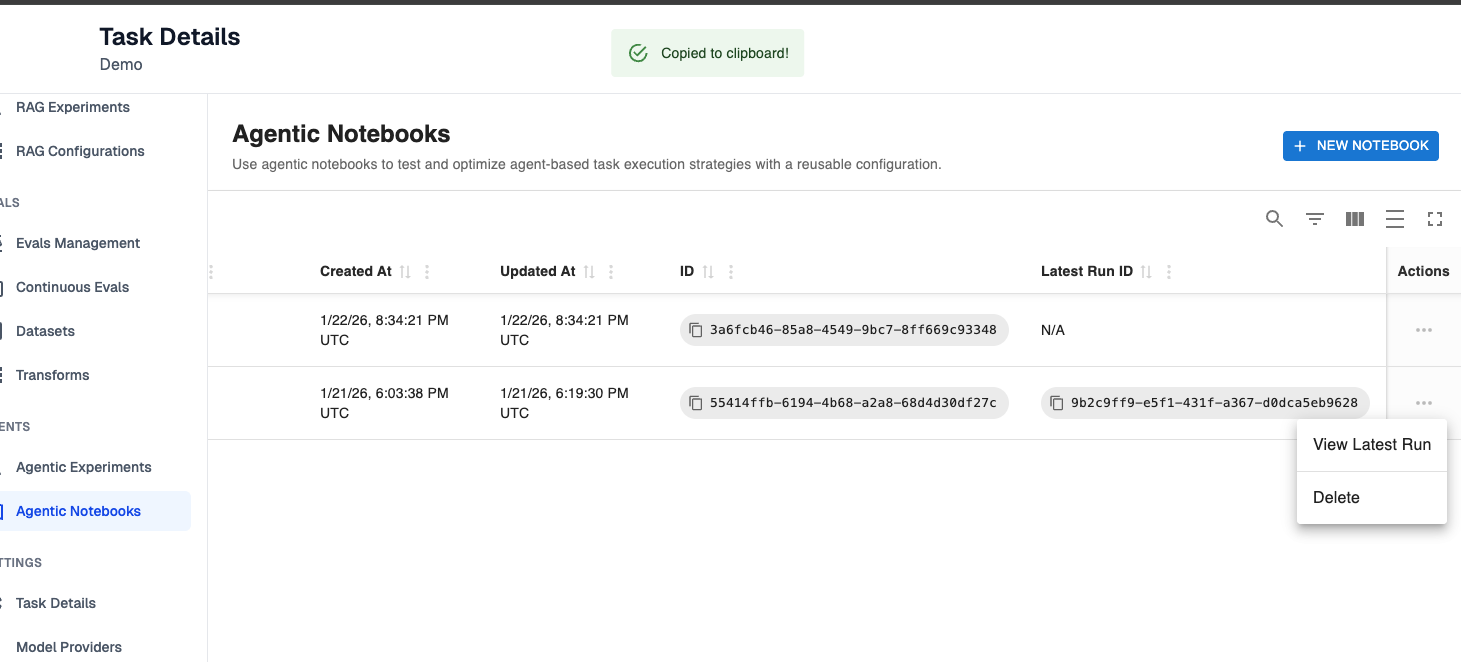
💡 At this point, you’ve successfully set up your first notebook! You now have an experiment configuration you can make changes to, experiment with, and re-use as you evaluate the performance of your agents.
Updated 9 months ago