
Get Started With Transforms
This section describes how to use Transforms in Arthur GenAI Engine.
What is a Transform?
A transform is an easy way in which you can link a variable to a specific resource found in the traces being sent to the Arthur platform. For more information on tracing please refer to this guide
Prerequisites
- An agentic task setup in the Arthur Engine
- An agent that can send traces to the above task in the Arthur Engine
- Span name + Attribute Path for the type of traces you would like to evaluate
Setting up a Transform
To create a transform, once you’ve clicked in to the agentic task you would like to create the transform for navigate to Transforms > Create Transform and you will be greeted with this modal:
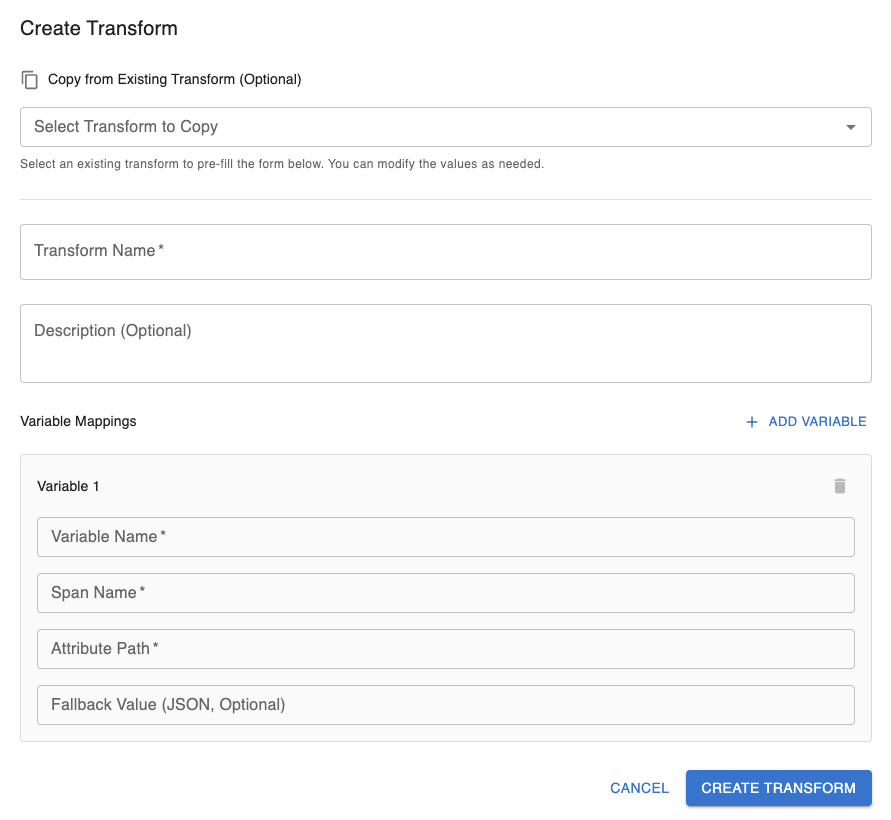
Here you can
- Copy from an existing transform which will copy the existing:
- Transform Name
- Optional Description
- Variables and all of their parameters
- Create a new transform from scratch
Required Parameters
- Transform Name
- At least one variable, each of which must have:
- Variable Name
- Span Name
- Attribute Path
Optional Parameters
- Transform Description
- Fallback Value (per variable)
Editing a Transform
When editing a transform the same creation modal as pictured above will pop up with all the fields pre-filled. You can freely edit any field and click the “Update Transform” button on the bottom right of the modal to complete your edits
What is a Fallback Value?
A fallback value is a value you can assign so if a trace doesn’t match the transform exactly, it will still execute properly. For example, if you had an llm agent ‘gpt-4.1’ that failed to generate an output, the system may have sent a trace that contains input messages but no output messages. If we had a fallback value for our variable for output messages set to ‘N/A’, instead of failing to extract the variables we now just see that it wasn’t present in the trace.
Fallback values are required to be in valid JSON format.
Example Use Case:
For our example, we will be creating a transform so on all future incoming traces we can have a continuous eval check to see if the output generated by an LLM Agent was helpful given the context of a user’s input messages.
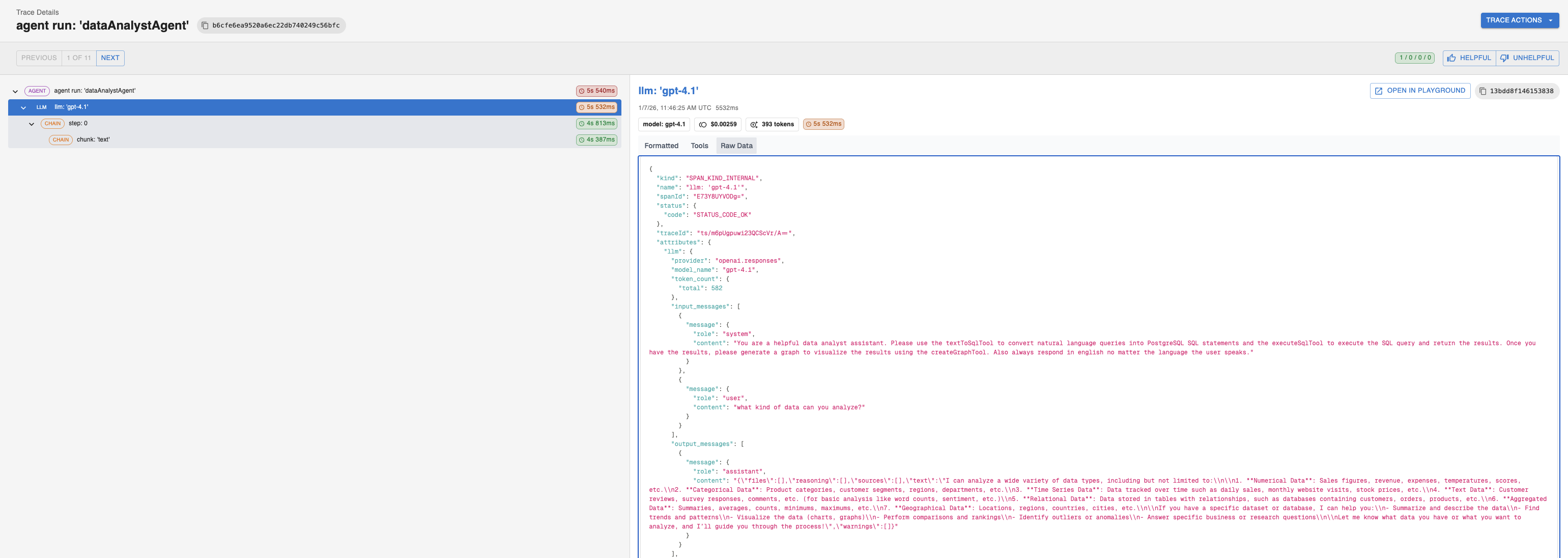
To do this we will be using a span with the name llm: 'gpt-4.1' and the attribute paths attributes.llm.input_messages and attributes.llm.output_messages which correspond to the input and output messages, respectively. We will also set a fallback value for output messages, “N/A”, in case our agent failed to generate a response but a trace was still sent.
*Note: For this example, we will only be walking you through the steps of setting up the transform. For more information on continuous evals please refer to this guide.
Here is an example image of what the raw span and attribute path looks like for this trace. The attribute path and span name may differ for your use-case:
Given our span names and attribute paths this is how we would fill in the Create Transform Modal:
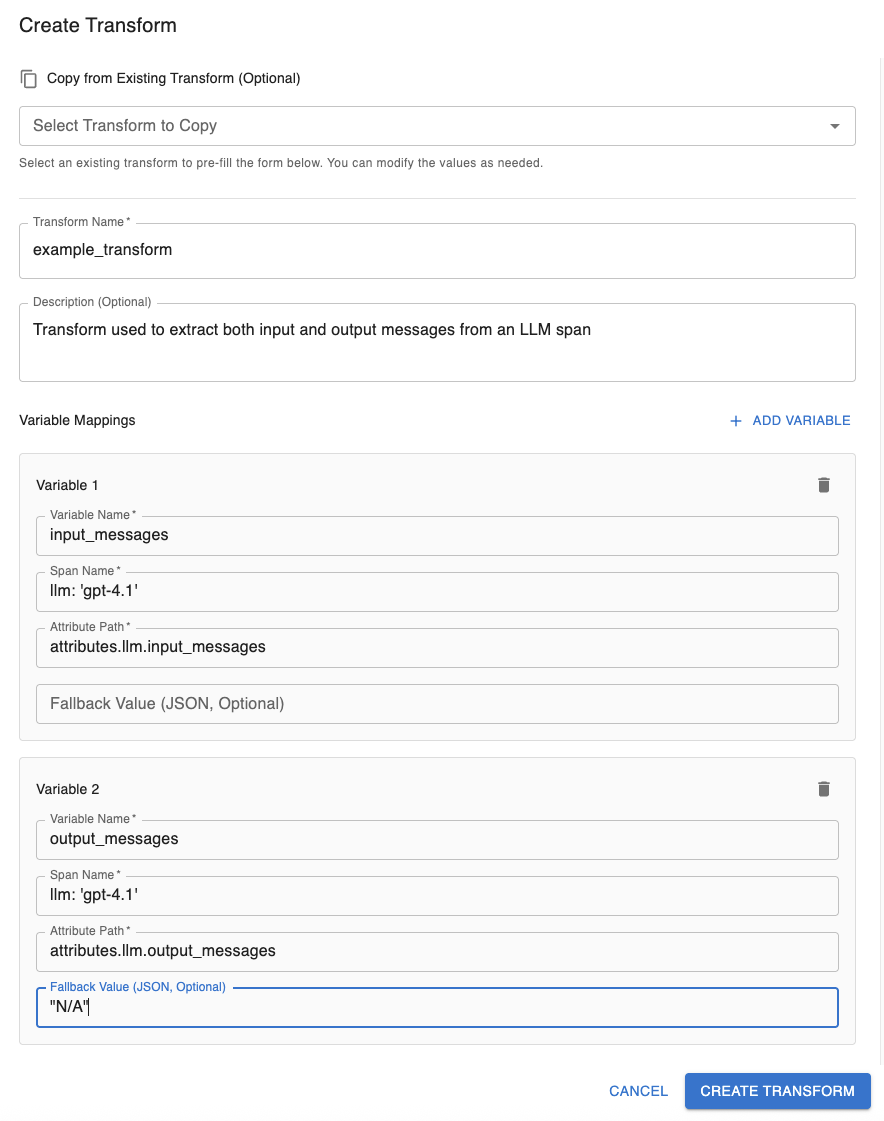
*Note: the Fallback Value is surrounded by double quotes to match the expected JSON format requirement
Now we are ready to use the new transform across our matching experiments and continuous evals
Updated 9 months ago